
In this lesson, you’ll learn about:
- What Routing is.
- How Next.js 15 handles routing
What is Routing?
Routing is the process of figuring out what resource to return when a given url is visited. This process is normally done on the server. The piece of code that carries out this process is called a Router.Frameworks like React and Vue handle routing on the browser (client-side)
How does Routing work?
While different Frameworks handle Routing a little bit differently, the basic pattern remains the same.
- You visit a url
- The Router checks the url and other details about the request to know the right resource to return to the client (for example your browser)
- If all parameters including the url are valid it returns the appropriate resource or an appropriate error message (for example a "not found" page)
Let's see an example
Let's say you want to visit your favourite website. You might visit the url below
localhost:3000/myfavouritesite.com/If your favourite website is a one where you can stream music, you might want to see all the trending songs of the week. To do that, you visit the url
localhost:3000/myfavouritesite.com/trendingIn this case, the router scans the url, it sees the url is valid, then it returns the page where you see all the trending songs for the week.
While trying to visit the page to see the trending song, you might end up typing the wrong url, maybe you spelled "trending" but without the "n" as in the url below
localhost:3000/myfavouritesite.com/tredingNow, the router checks the url, it discovers there's no such Url in its registry so it returns a not-found page. That's it, a very basic description of how routing works!.
The "resource" returned after a request is confirmed valid could be an HTML page like in the example above, a downloadable file audio, video, JSON, or even XML and many more formats.
Routing in Next.js 15
Next.js uses it's folder structure for routing. The router is automatically built into the folder structure when you create a new Next.js project. Also, Next.js 15 has 2 different types of routers- the App router and the Pages router.
when creating a new next.js 15 project, you would be asked the following prompt along the line
Do you want to use the App Router(recommended)? #yes/noAt this point, if you answer "yes", the App Router would be built into your Next.js 15 project. If you select "No", it would be built using the older Pages router
The App Router is the recommended router for Next.js. In fact, the older pages router is not available in the Next.js 16 (which became fully available in 2025). That been the case, I would be using the App Router through out the rest of the lessons
When you create a new Next.js 15 project using the App Router, you should have a folder structure similar to what you can see in the image below
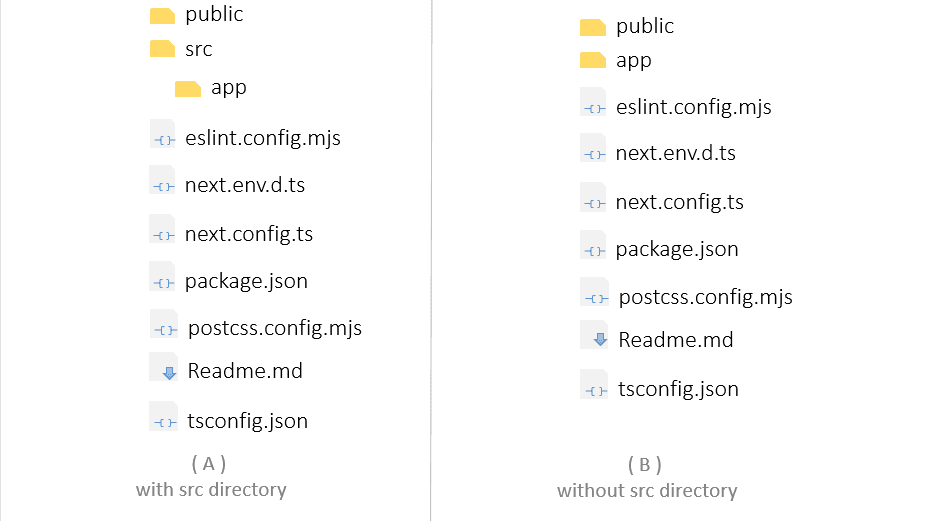
- If you created your project with the src directory, your project would be similar to the image on the right.
- if you created your project without a src directory, your project would be similar to the image on the left
Now, that we have our Next.js project created using the app router, let's see how to create our first route.
How to create a route
To create a new route, simply add a new folder inside the app folder of your Next.js project. The name of the folder should be the name of the route you want to create. For example, if you want to create a '/service' route, the name of the folder should be Service. If you want to create a '/projects' route, the name of the folder should be projects. After creating the folder, create a new file inside the folder you just created. That file should be named page.tsx. The image below would make it clearer.

- In the image above, the project uses the src directory. it's not a requirement, you can use the app router without using the src directory in your project.
- Page.tsx (Page.jsx if you're not using TypeScript ) is a special file in Next.js. When the server sees this file in a directory, it renders the directory as a route.
Please notice that in the image above, the name of the folder inside the app folder is Services. Your folder name could be anything you want. it all depends on how you want your routes to be named. Inside the service folder we have a file named "page", a tsx file.
The page.tsx file is going to hold the content to be displayed when people visit the route. In this instance, the page.tsx file holds the content to be displayed when people visit the "/service" route.
let's add the content to the page.tsx file. You can add this simple code in the image below
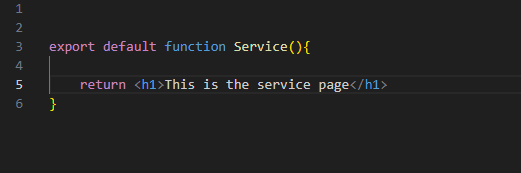
This functional component used in the code is called Service. Really it could be any other proper function name (Page, ServicePage, e.t.c). it doesn't have to be the same name as the route folder.
Now that our route is created, let's visit the route in the browser.
Start your next.js server by using the code below (if you haven't already done so)
npm run devAfter the server starts successfully, you should get a message similar to that in the image below
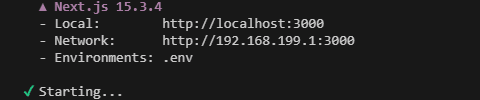
Please take note of the port with which your server is running. In the image above, mine is port 3000. Please check yours to confirm the appropriate port so you can use it in your url. it's mostly 3000 but please look at yours to make sure.
Then, visit the url below in your browser
http://localhost:3000/servicesWhen you visit the url, you should have a view similar to the image below
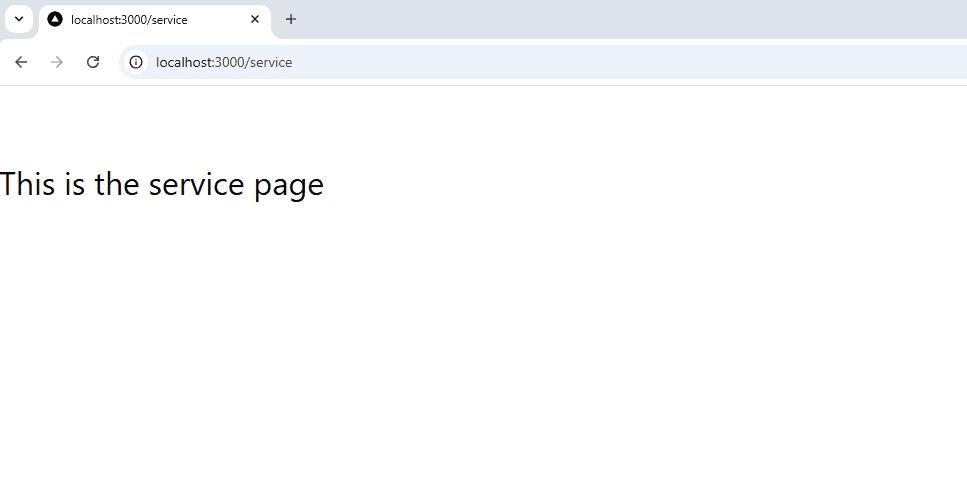
And there you have it. With that, you've created your own next.js route.
Remember, to create a route:
- simiply create a folder inside the app directory and give that folder a page.tsx file.
- The page.tsx file is to contain the piece of code that should be rendered when that route is visited.
- The file would contain a functional component as you would normally have when using react.js.
-
Now, here are two scenerios for you to think about. By default, Next.js projects are created with a default page. The route for that default page is localhost:3000/. How is that route rendered?
-
What if you want to create a nested route like /services/solar-installation, considering what we discussed in this topic, do you have an idea on how to get that done?
Think it through for a while, see if you can figure it out. We'll talk about these and a bit more in the next note.